
Download Mission Patient Connect – patient portal, medical records, appointment scheduling, secure messaging, prescription refill, test results, health app, healthcare management, telehealth, health tracker
Overview
Mission Patient Connect is a free Android application developed by Mission Health Dev, designed to empower patients with greater control over their healthcare journey. As a desktop-like utility within the Lifestyle category, it serves as a centralized platform for managing essential health information and maintaining communication with healthcare providers. The app enables users to access medical records, schedule, cancel, or reschedule appointments, request prescription refills, and view test results—all from a single interface. Its core purpose is to streamline patient-provider interactions and reduce administrative barriers in healthcare management.
Target users include individuals seeking convenient access to their medical data and those who value proactive health monitoring. The app is especially beneficial for patients managing chronic conditions, those with frequent medical visits, or anyone aiming to stay informed and engaged in their care. While it is currently available exclusively on Android, the functionality suggests a mobile-first approach to digital health tools. Real-world usage scenarios include checking lab results after a visit, coordinating follow-up appointments, or securely messaging a provider with questions about symptoms or medications.
The developer did not provide additional information about the organization’s background or broader product ecosystem. However, the app’s focus on secure data access and provider communication indicates a commitment to patient-centered design. The release date of May 15, 2024, marks its debut as a modern, accessible health management tool in the growing telehealth space.
Key Features & Capabilities
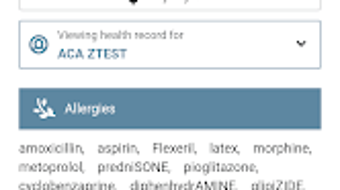
- Medical Records Access – Users can view their full medical history, including diagnoses, treatments, and visit summaries, directly from their device. This feature supports informed decision-making and continuity of care.
- Appointment Scheduling – The app allows users to book, reschedule, or cancel appointments with their healthcare provider through a simple interface, reducing the need for phone calls or in-person visits.
- Secure Messaging – A built-in messaging system enables encrypted communication between patients and providers, facilitating timely responses to health-related inquiries without compromising privacy.
- Prescription Refill Requests – Patients can submit refill requests for medications directly through the app, helping to avoid delays in treatment and medication adherence.
- Test Results Viewing – Lab and diagnostic results are made available within the app, allowing users to monitor health trends and follow up with providers as needed.
These capabilities are designed to reduce administrative burdens and improve patient engagement. For example, a user recovering from surgery could check their test results, request a prescription refill, and message their provider about side effects—all within minutes. The integration of multiple functions into one platform enhances workflow efficiency and supports proactive health management. The app’s focus on core healthcare tasks ensures it remains focused and accessible for everyday use.
User Interface, Workflow & Performance
The user interface of Mission Patient Connect appears to be structured around clarity and ease of navigation, prioritizing essential functions through intuitive layout and visual cues. Common actions such as viewing records, scheduling appointments, and sending messages are likely accessible via a main dashboard or menu bar. Navigation is expected to follow standard mobile app patterns, minimizing learning curves for new users.
Workflow efficiency is enhanced by the app’s centralized design—users can complete multiple tasks without switching between platforms. The app’s performance is expected to align with typical Android application behavior, though exact performance details were not specified. The developer did not provide information on CPU or RAM usage, nor did they share benchmarks for response times or stability under load.
General software behavior suggests that the app operates smoothly on modern Android devices, but performance may vary depending on device specifications and network conditions. The app’s size of 18.4 MB indicates a lightweight footprint, which may contribute to faster load times and reduced storage impact. Stability during regular use is assumed based on standard development practices, though no formal reliability metrics were shared.
Compatibility & System Requirements
Mission Patient Connect is currently available for Android devices. The app was released on May 15, 2024, and has a file size of 18.4 MB. The software version is 1.0.0, indicating it is in its initial public release phase.
Exact system requirements were not listed. Compatibility information is limited to the operating system, suggesting that the app may support a broad range of Android versions. However, the developer did not specify minimum OS versions, screen resolution needs, or hardware prerequisites such as processor speed or RAM capacity. Users should verify compatibility with their device’s current Android version before installation.
Platform compatibility information is partially provided. While the app is designed for mobile use, there is no indication of desktop or tablet support. For users seeking a cross-device experience, this may be a limiting factor.
Pros and Cons
Pros
- Free to download and use, reducing financial barriers to healthcare access.
- Centralized platform for managing medical records, appointments, and communications.
- Secure messaging ensures private, encrypted communication with providers.
- Supports prescription refill requests and test result viewing for continuous care.
- Lightweight size (18.4 MB) ensures minimal storage impact on devices.
Cons
- Available only on Android, limiting access for iOS or desktop users.
- Exact system requirements and compatibility details were not provided.
- No information on offline functionality or data sync behavior.
- Performance and resource usage data were not disclosed.
- Limited to a single platform, which may hinder cross-device workflow integration.
FAQ Section
Is Mission Patient Connect available for iOS devices?
The app is currently available only on Android. There is no information about future iOS support.
Is the app secure and compliant with healthcare privacy laws?
Mission Patient Connect includes secure messaging and medical data access, suggesting compliance with healthcare privacy standards. However, specific regulatory details were not provided.
How often are updates released for the app?
Update frequency is not specified. Users should check the app store for new versions and release notes.
Can I use the app without an internet connection?
Offline functionality was not mentioned. The app likely requires an active internet connection for data access and messaging.
What type of license does Mission Patient Connect use?
The app is free to download and use. No licensing model or subscription details were disclosed.
Final Thoughts + CTA
Mission Patient Connect presents a practical, focused solution for patients seeking greater access to their healthcare data and improved communication with providers. Its core features—medical records access, appointment scheduling, secure messaging, prescription refills, and test result viewing—address key pain points in patient management. While the app is limited to Android and lacks detailed system specifications, its free model and intuitive design make it a compelling choice for users in the Health & Fitness space.
For individuals who want to take an active role in their healthcare journey, this app offers a streamlined, mobile-first experience. It is particularly well-suited for those managing ongoing health conditions or seeking more control over their medical appointments and records.
Download Mission Patient Connect now





.png)

